Micro Frontend Architecture: When, Why & How
Micro Frontends (MFE) have become an increasingly discussed approach for scaling large web applications. In my recent research, I explored how MFEs can help teams manage complexity, improve maintainability, and allow multiple teams to collaborate efficiently.
I built a small proof-of-concept to experiment with different patterns and assess the trade-offs. In this post, I share key takeaways and insights from that exploration.
Why Micro Frontends?
Traditional frontend architectures can struggle when applications grow large and multiple teams contribute to the same codebase. Some of the challenges include:
- Monolithic builds that are hard to scale
- Coupled release cycles slowing down teams
- Difficulties in onboarding and maintaining consistency
Micro Frontends aim to solve these problems by splitting the frontend into smaller, independently deployable modules, often owned by different teams. This allows teams to move faster without blocking each other and encourages clearer boundaries between domains.
When to Consider MFEs
MFEs are not a silver bullet. Based on my research, consider MFEs when:
- You have multiple teams contributing to a large application
- Features are independently deployable or require different release schedules
- Your project has clear domain boundaries
- You want gradual refactoring of a monolith without rewriting everything
If your app is small or your team is compact, MFEs usually add unnecessary complexity.
Patterns I Explored in My POC
During the POC, I experimented with several MFE strategies:
1. Domain-based Split
- Each micro frontend is responsible for a distinct domain (e.g., user management, dashboard, campaigns)
- Teams own their respective MFEs and can deploy independently
- Shared libraries are used cautiously to prevent tight coupling
2. Composition Layer
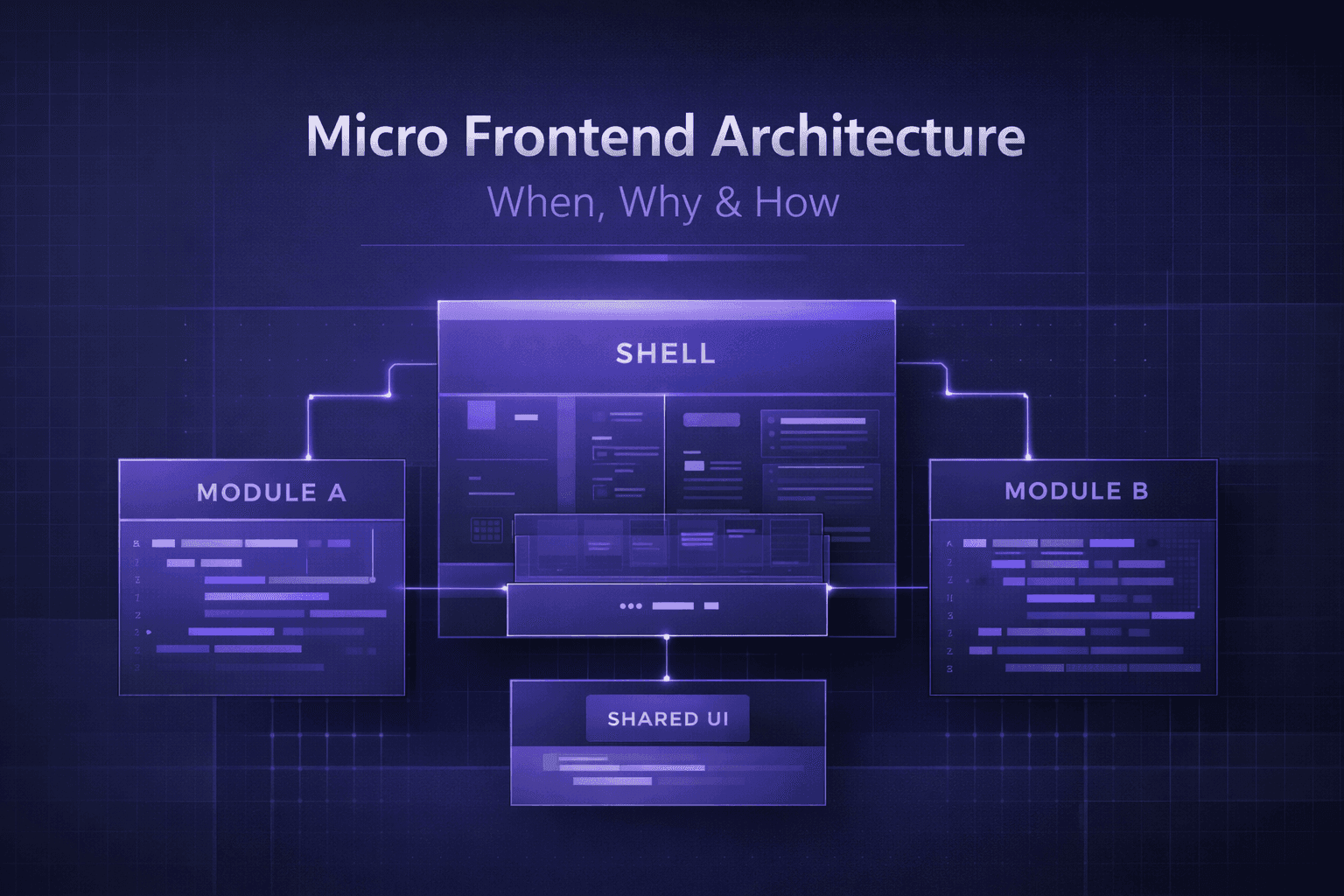
- A shell or container app handles routing and rendering MFEs
- Allows seamless navigation between MFEs while keeping each module isolated
- Considered integration strategies like Webpack Module Federation
3. Shared State
- Minimal shared state is essential to avoid complexity
- Options: custom events, shared global stores, or context providers for lightweight integration
Trade-offs & Lessons Learned
While MFEs provide flexibility and autonomy, there are trade-offs:
- Increased initial complexity: More moving parts, setup, and CI/CD pipelines
- Performance considerations: Each MFE might load separate bundles; need careful optimization
- Communication & standards: Teams must agree on shared conventions, libraries, and design patterns
Key lessons from my POC:
- Start small — experiment with one module first
- Keep integration simple — routing and shared state are the main sources of complexity
- Document patterns and conventions — consistency is critical when multiple teams are involved
Senior Takeaways
MFEs are a tool for scaling teams and applications, not a replacement for thoughtful architecture.
From my research, the most important factors for success are:
- Clear ownership of modules
- Strong integration patterns
- Minimal but effective shared dependencies
- Alignment between product, design, and engineering
Even a small POC can reveal pitfalls before committing to a full-scale architecture. MFEs reward careful planning, but poorly executed micro frontends can create more complexity than they solve.
Next Steps
- Explore Module Federation for dynamic composition
- Evaluate shared UI libraries and design system integration
- Consider CI/CD pipelines for independent deployments
- Monitor bundle size and runtime performance during integration
Micro Frontends are not just an architectural decision — they are a team and process decision. Success depends as much on collaboration and governance as on technical implementation.
This post is based on my personal research and POC experiments. I hope it gives you practical insight into how to approach MFEs thoughtfully.